GravesPDF
GravesPDF is a PDF editor for Windows that handles the everyday jobs people usually need a subscription or a website for: filling in a form, combining files, marking up a document, fixing a typo, signing a contract. It does all of it on your PC, so your documents never leave your computer.
Get it from the Microsoft Store Available now for Windows. Version 1.0.0.Private by design. There is no account to create and nothing to sign in to. GravesPDF makes no network connections at all: nothing is uploaded, nothing is tracked, and there are no ads.
What it does
Reading That Scales
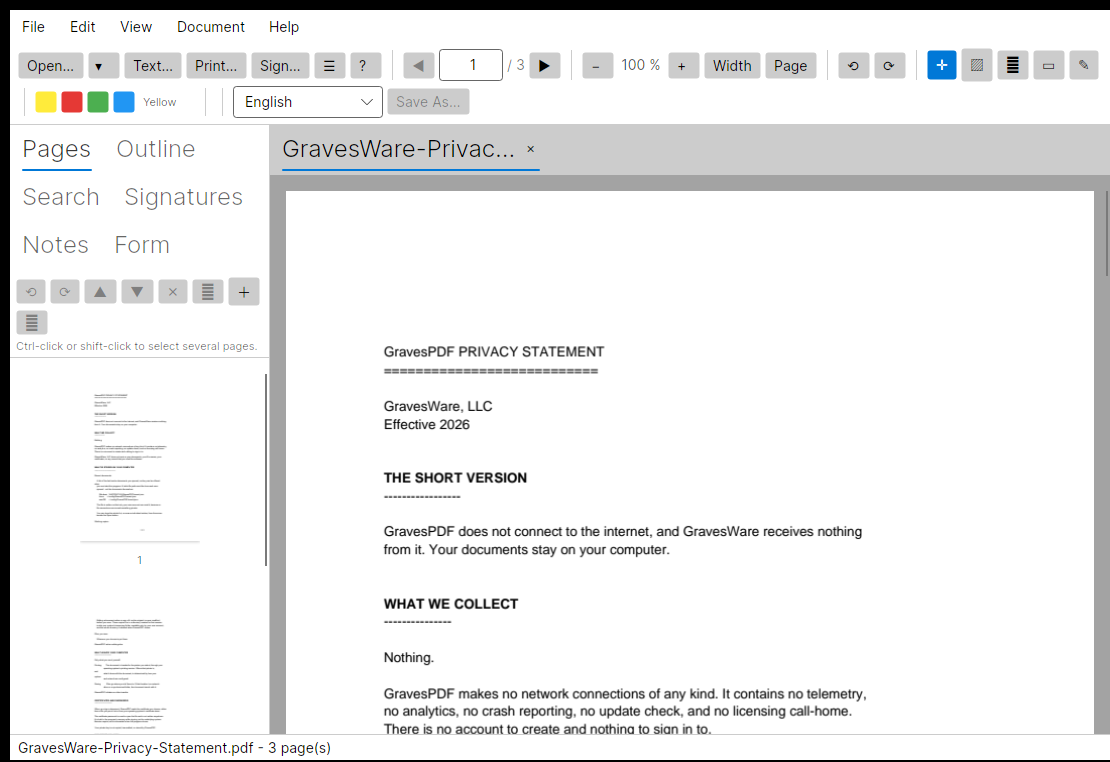
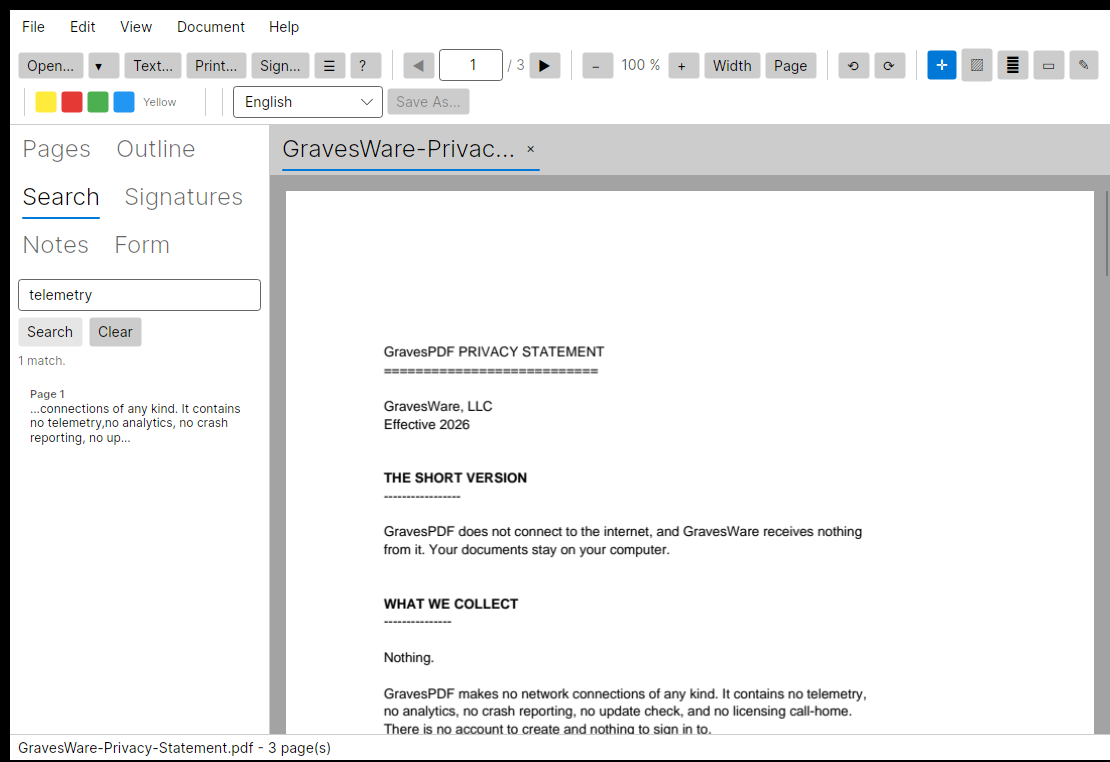
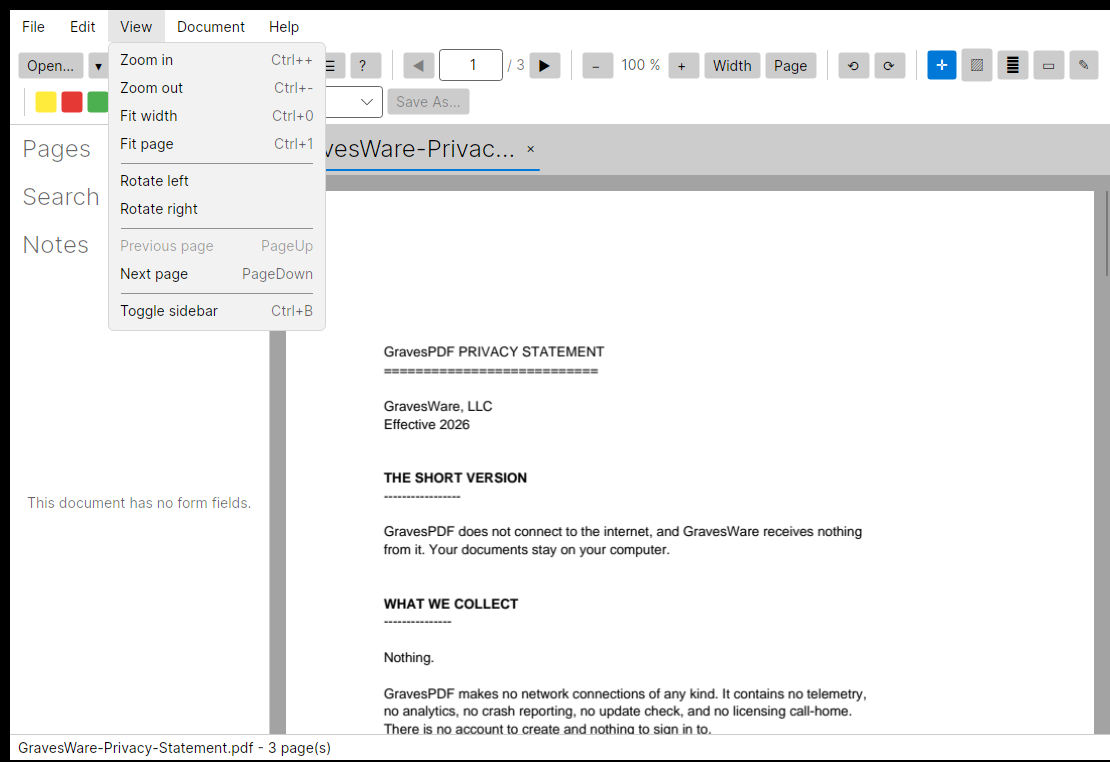
Continuous scroll with page virtualization, a thumbnail sidebar, an outline tree where the document provides one, full-text search with page numbers and surrounding context, zoom from 10% to 800%, and 90-degree view rotation applied at render time rather than as a bitmap transform.
Highlights That Snap to Text
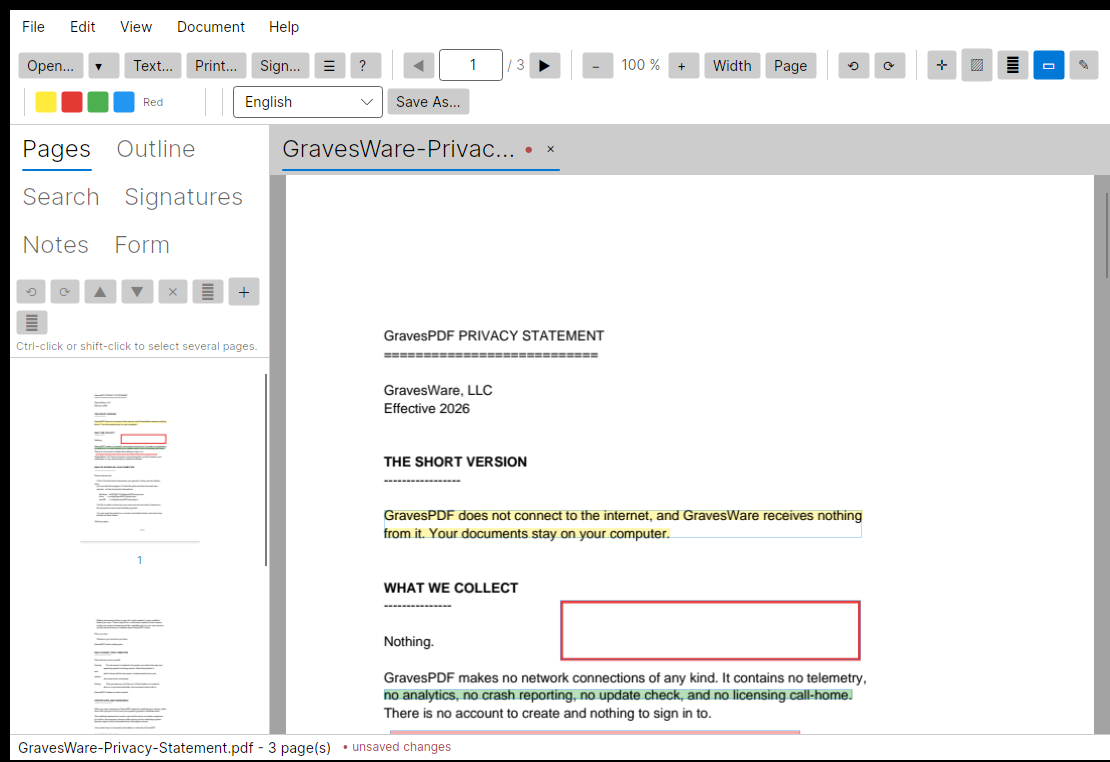
Drag roughly across a paragraph and the highlight is resolved against the words you actually covered, emitted as one rectangle per line, so it hugs the text instead of tracing your hand. Over an image or blank space it falls back to the rectangle you drew. Rectangle, freehand and sticky-note tools too, each in a colour you pick.
Digital Signatures, Honestly Reported
Sign with an X.509 certificate from a PFX/P12 file or your OS certificate store, with an optional visible signature block placed anywhere on any page. Verification reports two things separately: whether the document changed after signing, and whether the signature covers the whole file — because a signature can be valid over part of a file while the rest was altered afterwards.
Page Editing
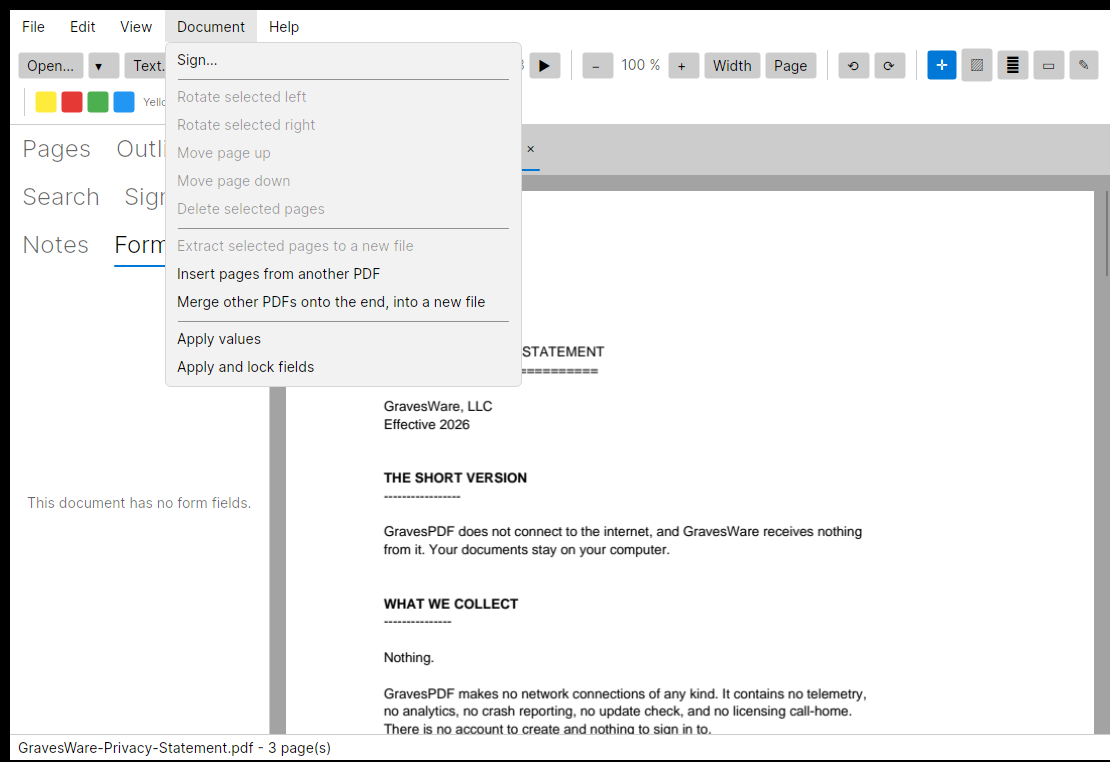
Select pages in the thumbnail sidebar, then rotate, delete, reorder or extract them to a new file. Insert all pages of another PDF at a chosen position, or merge several onto the end as a new document. Deleting every page is refused — a document keeps at least one.
Forms
Lists a document's AcroForm fields with their kind and current value. Fill text, checkbox and choice fields, then apply. "Apply and lock" writes the values and marks every field read-only — which does not delete the form: the values stay readable, they just stop being editable.
55 Languages, Fonts Included
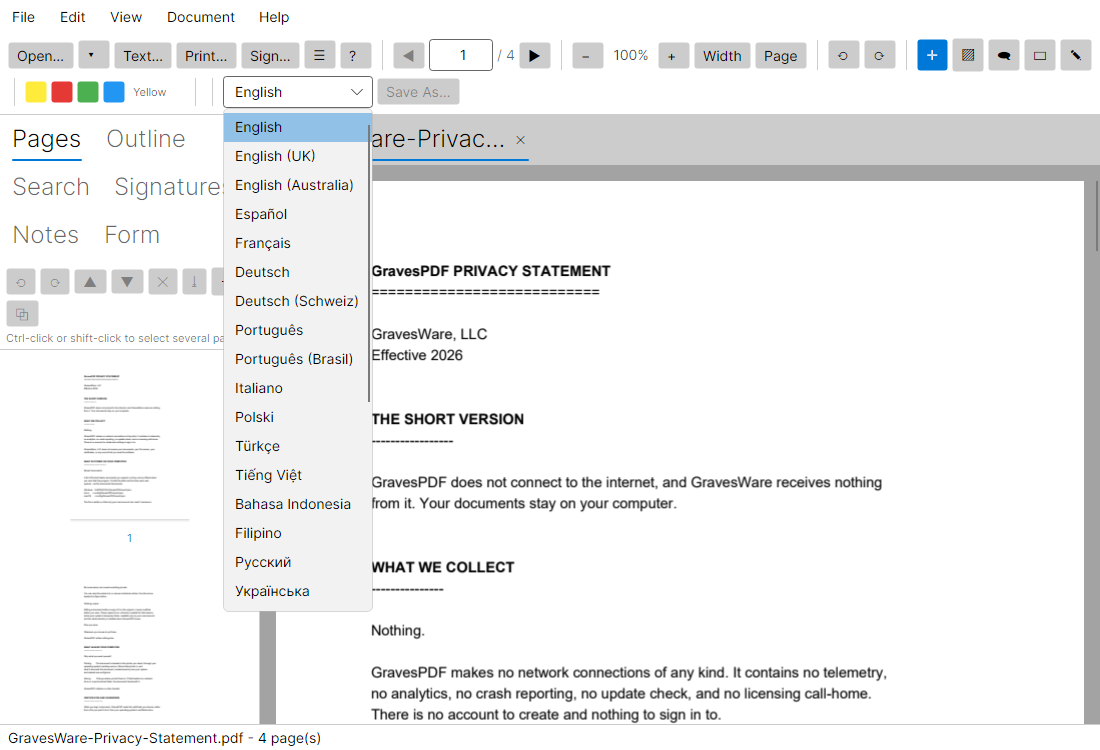
The interface ships in 55 languages, listed in their own scripts. The fonts for every one of them are built into the application, so the translations read correctly on a machine with no fonts of its own for that script. Arabic, Persian, Urdu, Sindhi and Uyghur turn the whole interface right to left — the document itself is never mirrored.
Reachable From the Keyboard
Everything in GravesPDF can be reached from the keyboard. Tab moves between controls, Space or Enter activates, and every control tells a screen reader what it is — including the buttons that show only a symbol. The menu bar exists so you can find something you have not used before without hunting for its icon.
Tabs That Keep Their Place
Every document opens in its own tab with its own scroll position. Opening a file that is already open raises its tab rather than loading a second copy, so two tabs can never disagree about one file. A tab with unsaved changes asks before it closes.
Your Original Is Never Touched
Edits accumulate in a working copy, not in the file on disk, and the status bar shows unsaved changes while any are pending. Nothing changes until Save As. A failed edit cannot damage the document you opened. Working copies live in a per-session directory readable only by your account, deleted when GravesPDF closes.
Annotations
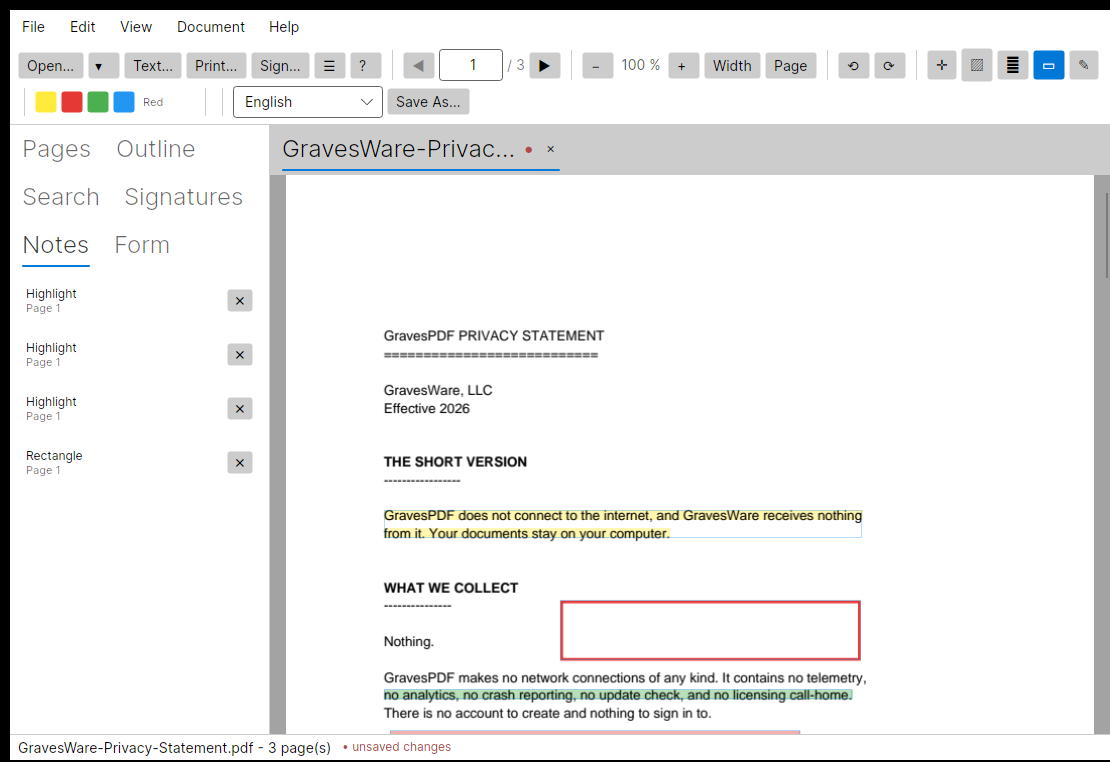
Pick a tool, choose a colour, and work on the page. The annotation list in the sidebar gives every mark a page number and a jump-to, and selecting one opens an editor where its text or colour can be changed — which also clears its cached appearance stream, because otherwise a viewer redraws the old colour and the change appears to have done nothing.
A look around
What it will not pretend to do
Two limits come from how PDF works rather than from GravesPDF, and it says so rather than producing a mess. Nothing reflows — a page holds positioned glyph runs, not paragraphs, so a longer replacement overruns what follows it and a shorter one leaves a gap. And some documents use fonts that store glyph numbers rather than letters, or embed only the characters the document already used; text in those cannot be re-typed, and GravesPDF refuses the edit and tells you why instead of rendering blanks. Find reports how many matches it can change before you commit to anything.
On signing, two more. Signing time is recorded but self-asserted — proving when a document was signed would need an RFC 3161 timestamp from a trusted authority. And GravesPDF does not check whether a signing certificate is trusted or has been revoked: a signature reported as valid means the bytes are intact, not that the signer is who they claim to be.
What GravesPDF will never do
- Connect to the internet. It makes no network connections of any kind.
- Collect telemetry, analytics, or crash reports.
- Check for updates, or call home about a licence.
- Require an account, a subscription, or a sign-in.
- Index, upload, or scan the documents you open — or follow remote content that a PDF you were sent tries to load.
GravesPDF 1.0.0 for Windows is available in the Microsoft Store.
Read the user manual, the privacy statement, or the user agreement — all three ship inside the application, under the Help menu.