GravesBook
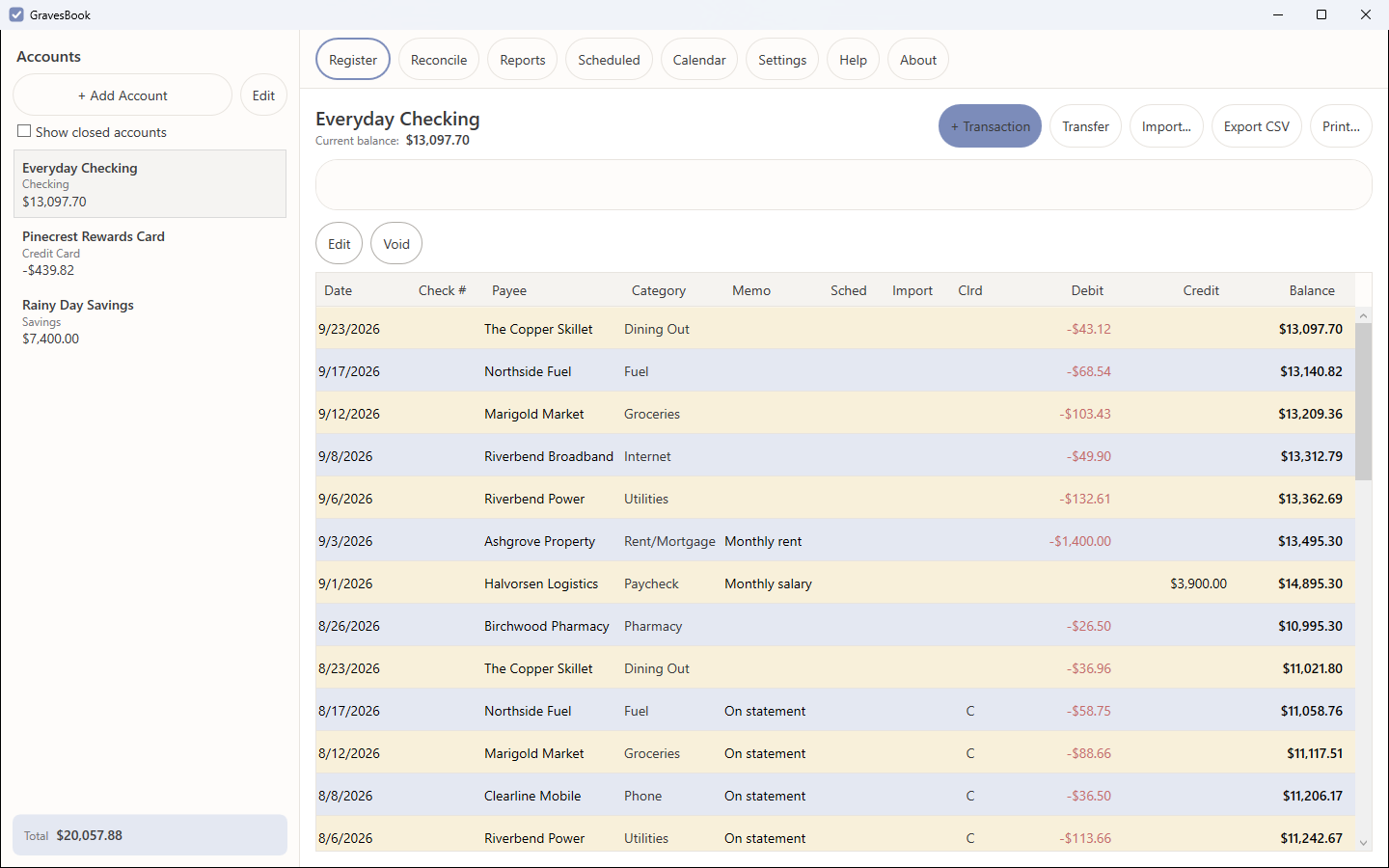
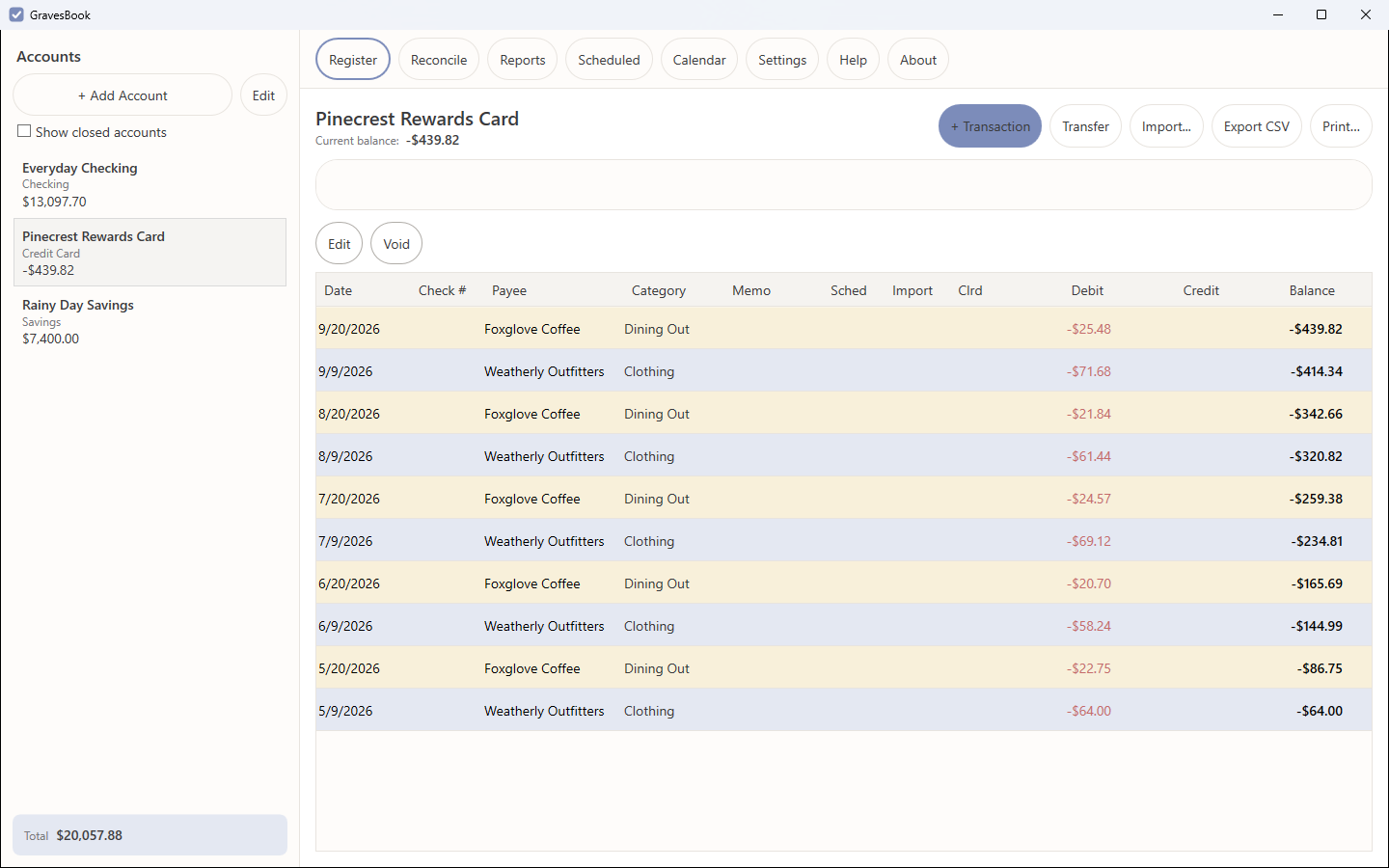
GravesBook is a chequebook register for Windows, for people who want to keep track of their own money without linking a bank account or paying a monthly fee.
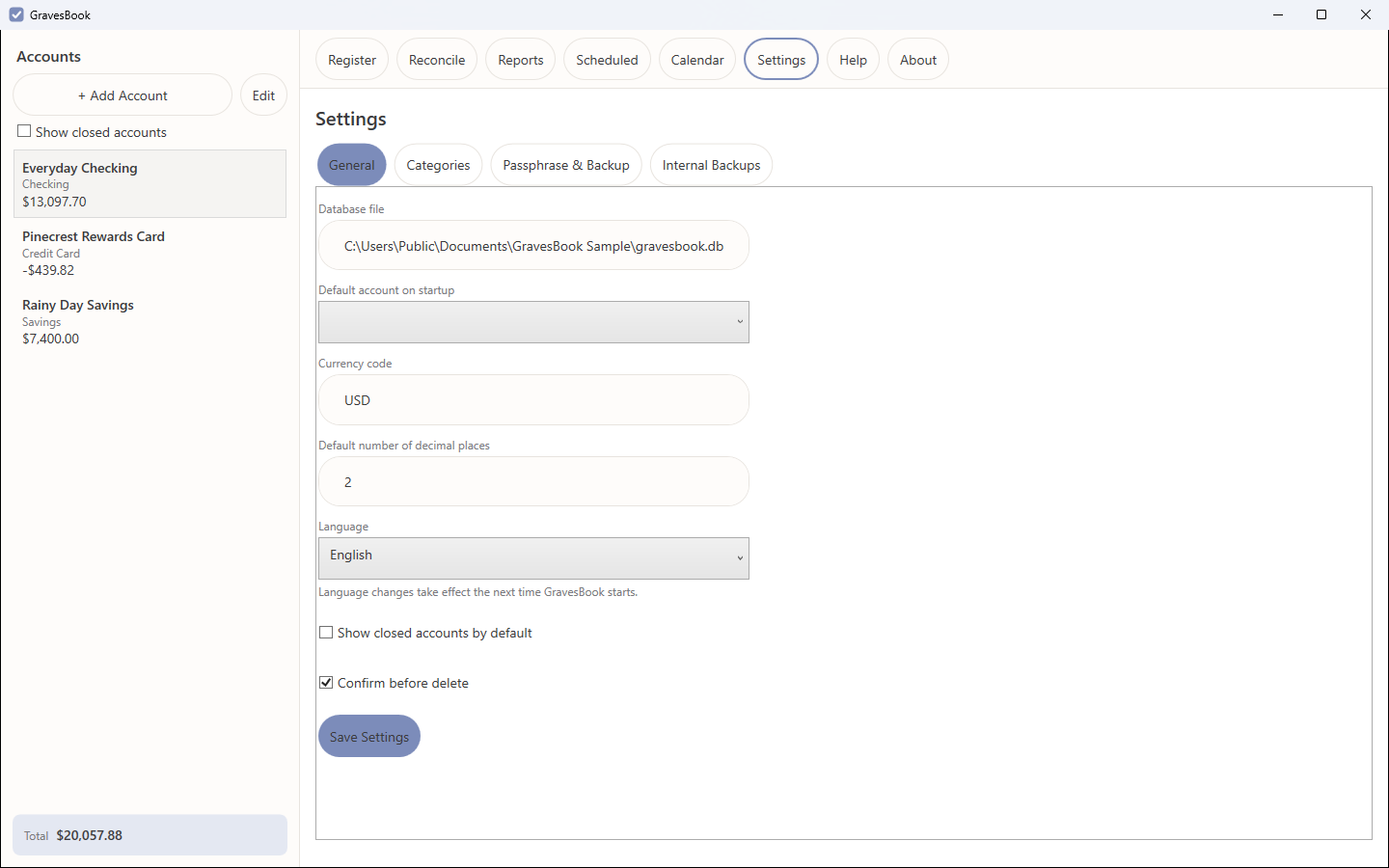
Get it from the Microsoft Store Available now for Windows 10 and 11.Private by design. GravesBook never connects to your bank or to anything else: this version contains no network code at all. Your transactions are kept in one encrypted file on your PC, unlocked by a passphrase only you know. There is no account to create and no telemetry, analytics or crash reporting.
If you lose your passphrase, your data cannot be recovered. There is no back door and no recovery mechanism. That is the trade GravesBook makes for genuine privacy, and it is deliberate.
What it does
Encrypted, Local, and Silent
Every account, transaction, category and reconciliation lives in a single SQLCipher-encrypted database file on your machine. No telemetry, no analytics, no crash reporting, no "phone home" — this version ships with no network code whatsoever. If you lose the passphrase, the data is unrecoverable. There is no backdoor, because there is nowhere for one to lead.
Real Bank Reconciliation
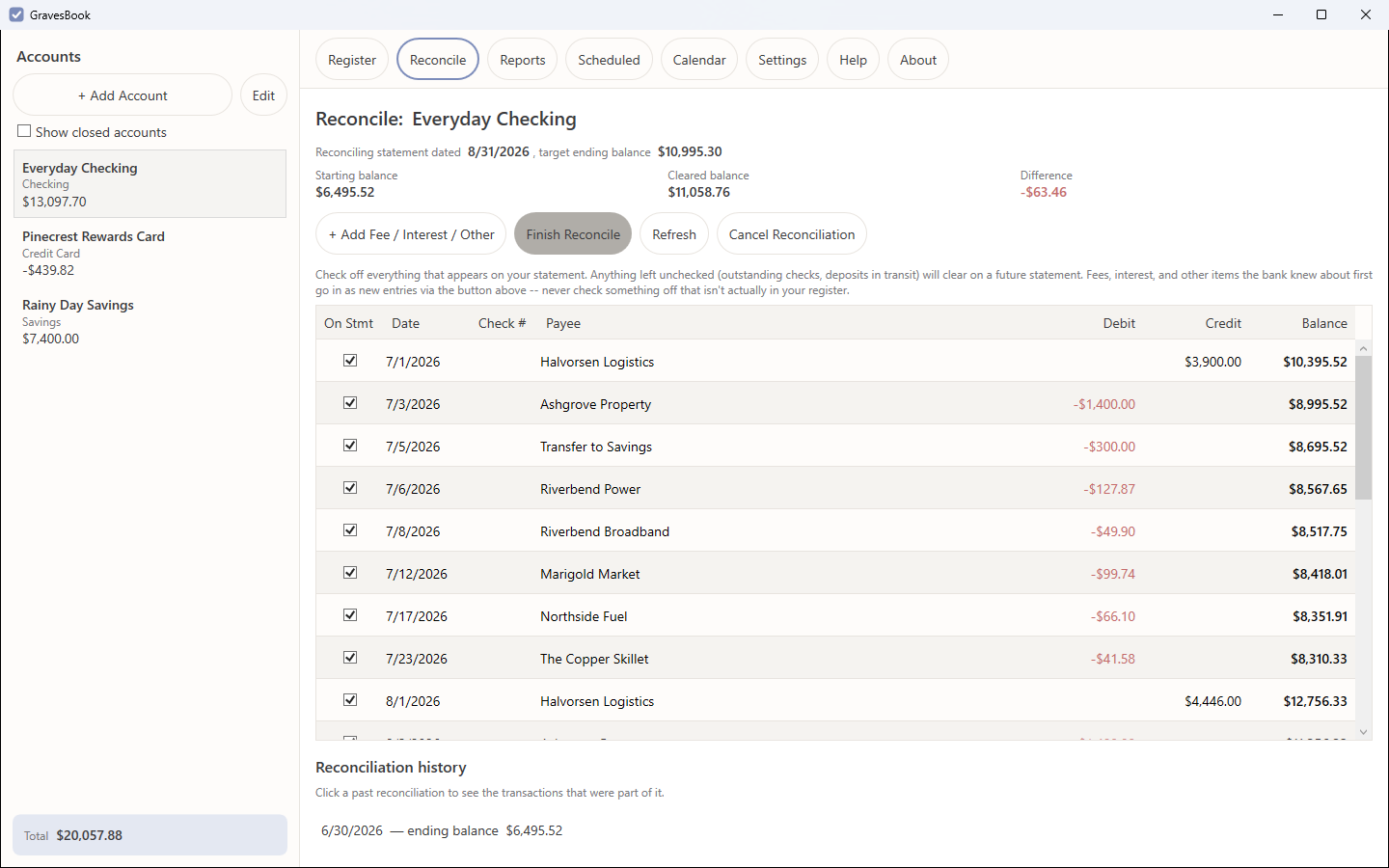
Not tick-until-zero. GravesBook does the proper two-sided reconciliation — balance per bank against balance per books — and when the statement has something your register doesn't (a fee, interest, an NSF charge), you post it as a real transaction from the Reconcile screen rather than fudging a number. It will not let you finish a reconciliation that doesn't balance to the cent.
Scheduled Transactions
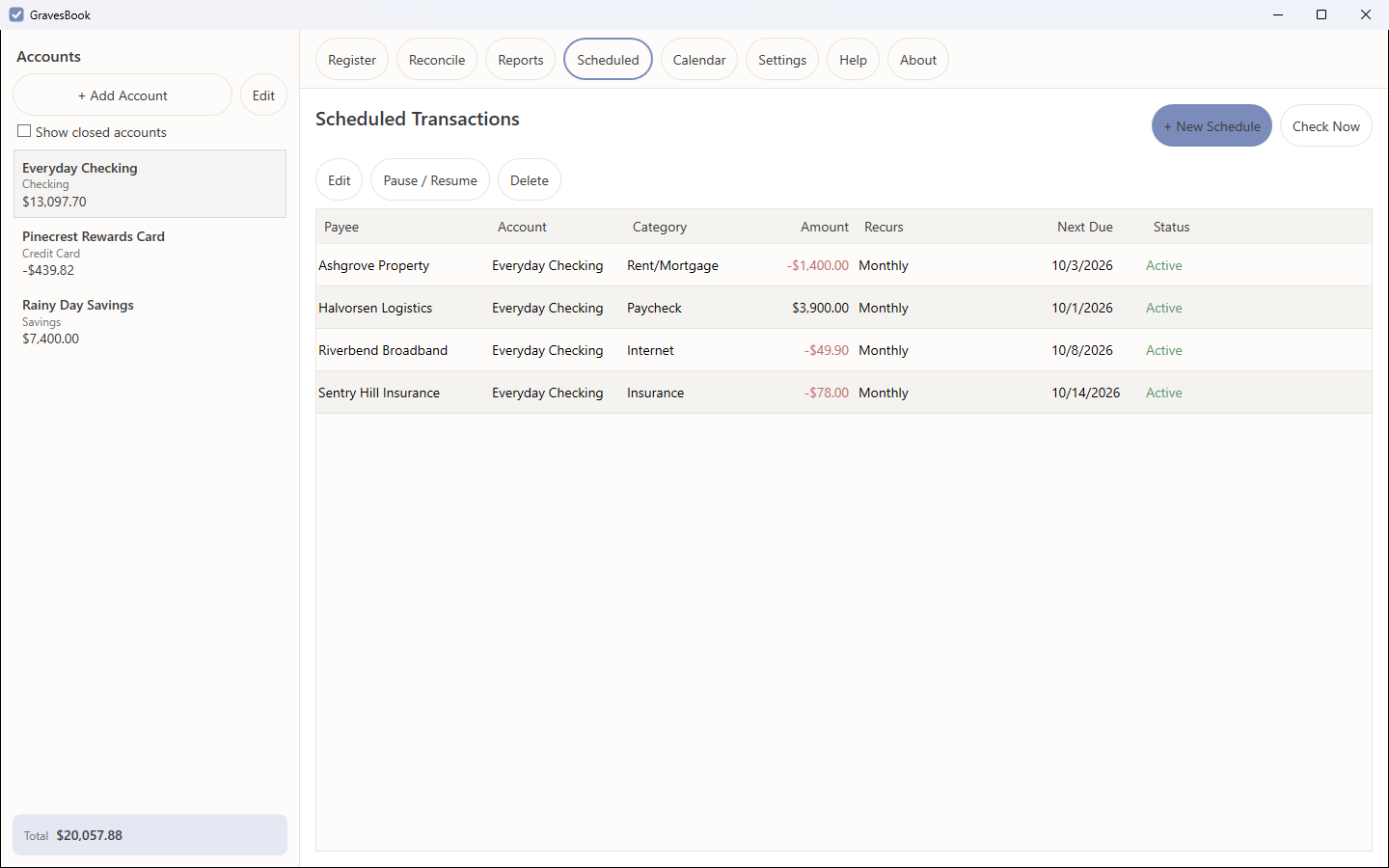
Rent, a car payment, a salary payment, a subscription — set it up once with any recurrence from daily to yearly, including twice-a-month on two fixed days and every-N-days. Leave the app closed for three weeks and you get exactly the occurrences that fell in those three weeks. Never a duplicate, never a missed one. A schedule anchored to the 31st lands on the last day of a shorter month rather than skipping it.
Calendar View
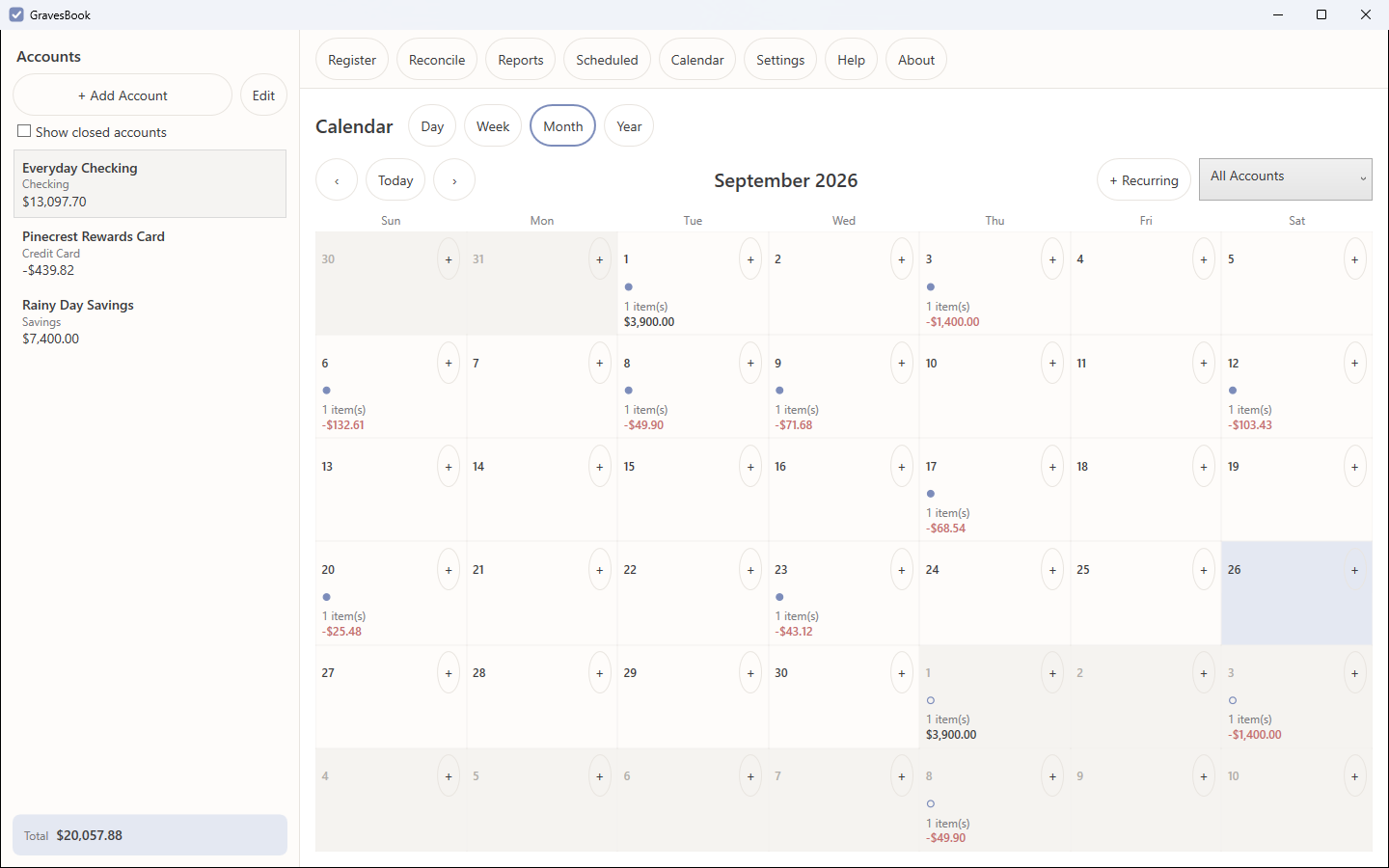
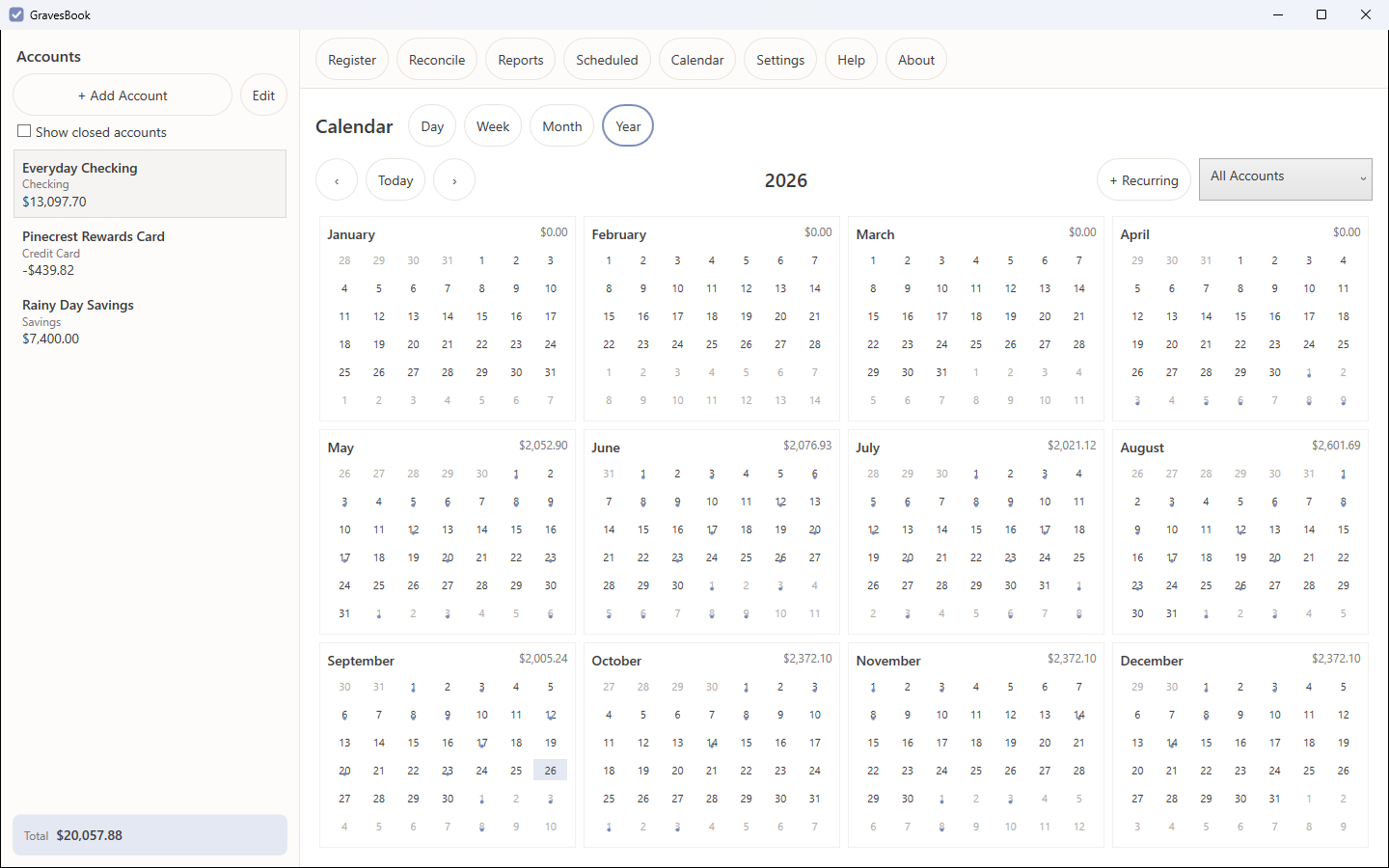
Your money by date, in Day, Week, Month or Year. Real transactions show as solid markers and upcoming scheduled occurrences as hollow ones, so you can see what is coming before it posts. Click into any day or month to drill down.
Reports That Show Their Work
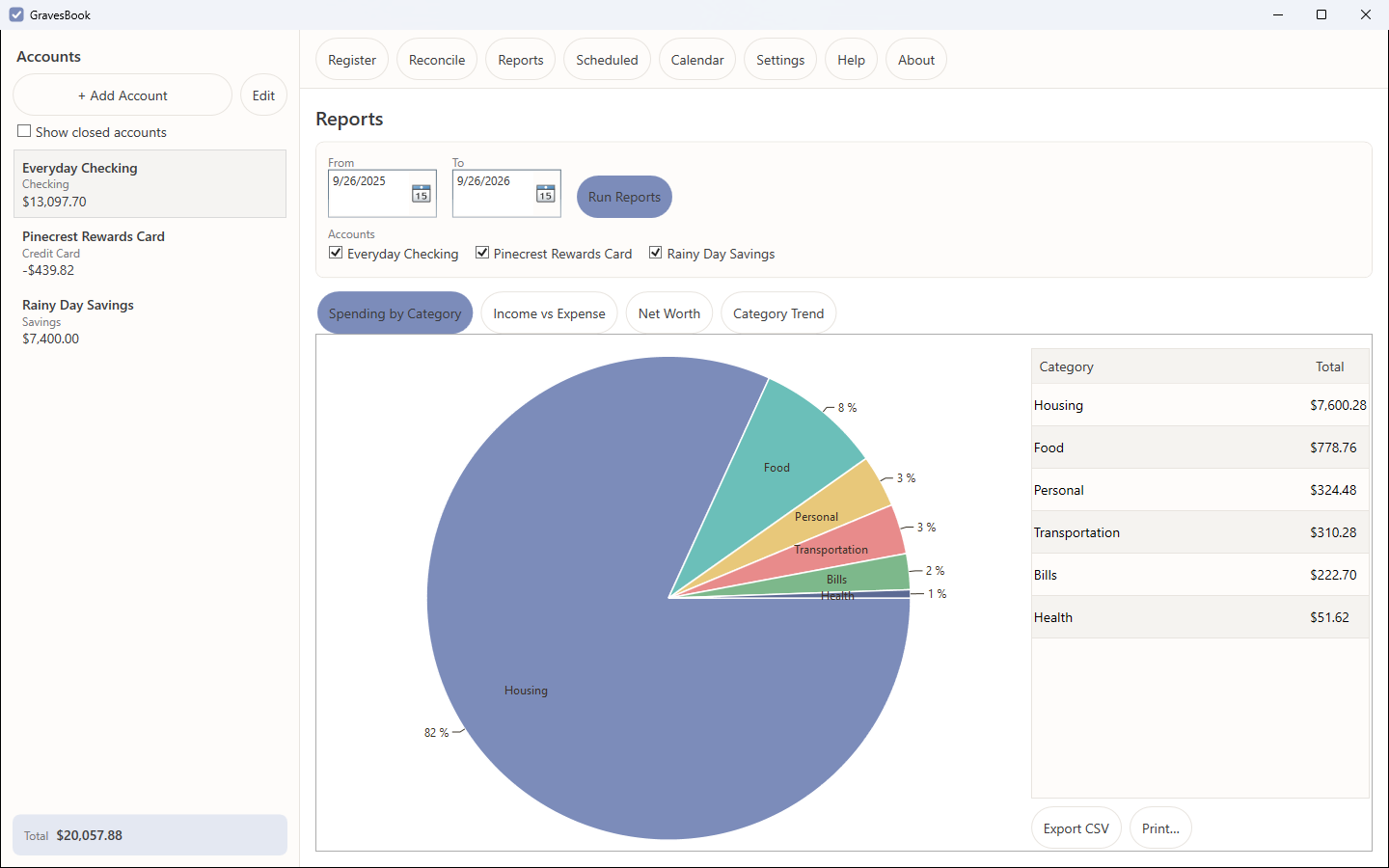
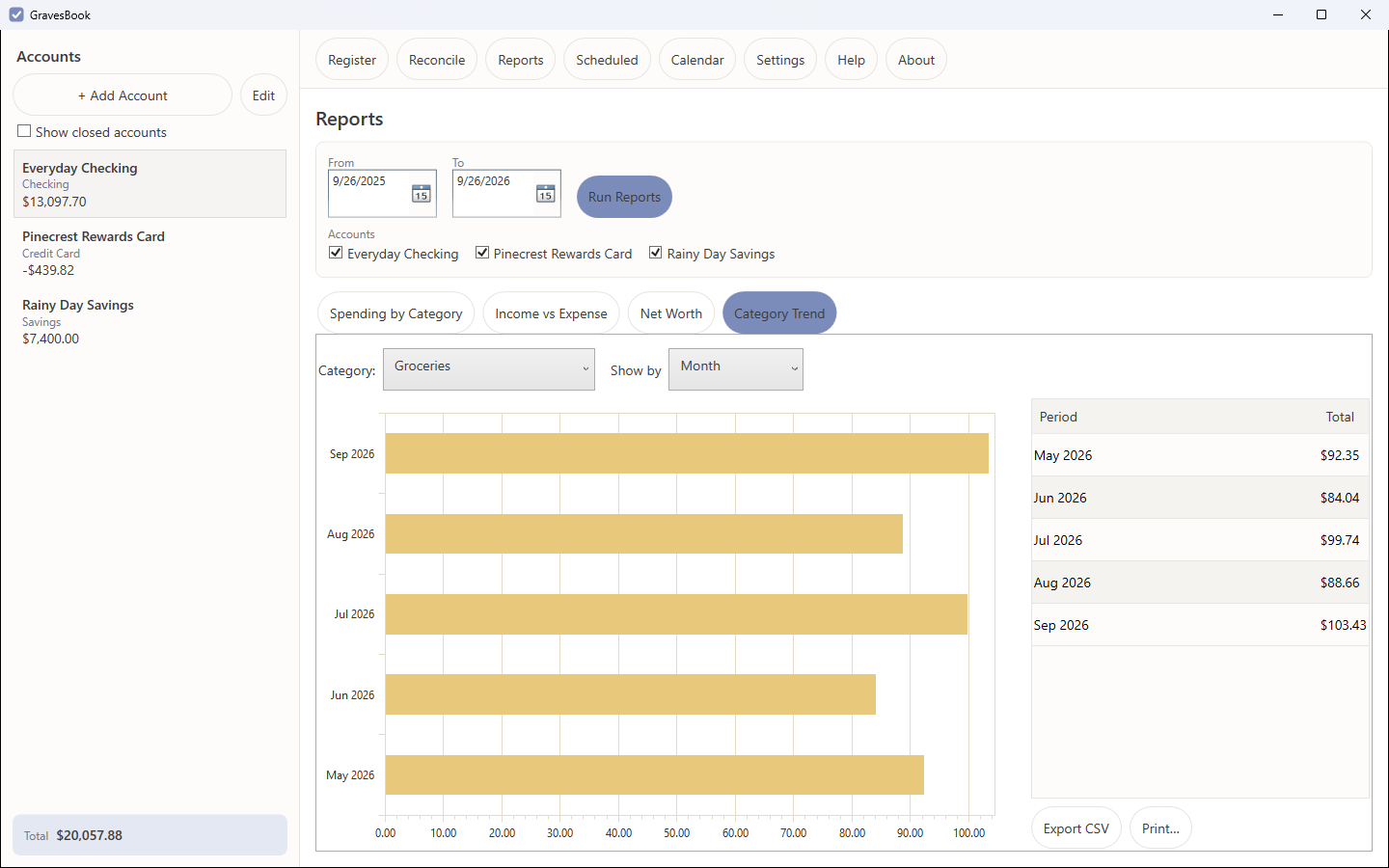
Spending by category, income versus expense by month, net worth over time, and single-category trend — each filterable by account and date range, each with the underlying numbers in a table beside the chart, and each exportable to CSV and printable. Transfers between your own accounts are never counted as income or expense.
Spreadsheet Import and CSV Export
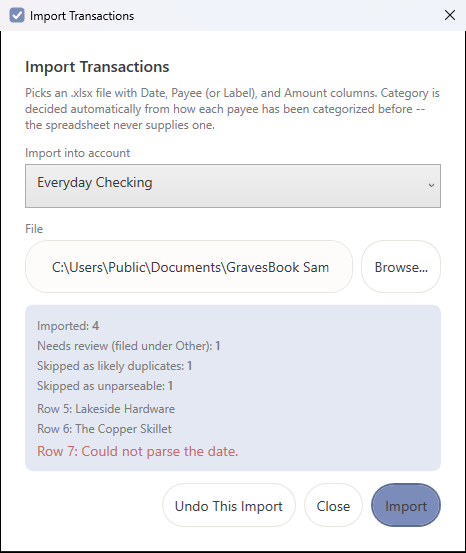
Load transactions from an .xlsx file with Date, Amount and Payee columns in any order. GravesBook assigns categories from your own history — the category you've used most often with that payee wins — and flags anything it couldn't place. Re-importing the same file is harmless: exact duplicates are skipped, and Undo removes everything an import created. Going the other way, Export CSV saves the register — just the rows your search matches, in date order — as a file Excel opens in columns using your Windows region's separator and decimal symbol.
Printing That Saves Ink
Print the register for any date range, or any report with its chart and table. Pages come out as bordered tables with the column headings repeated on every page, long text wrapped rather than cut off, and no transaction split across two pages. Row shading and colour are off by default — black text on white, with nothing that depends on colour — and a print preview shows every page before any paper is used.
Two Kinds of Encrypted Backup
A portable backup writes an encrypted, standalone copy of your chequebook wherever you point it — it opens on any machine with your passphrase. Internal backups are the one-click daily kind, protected both by Windows DPAPI and by a recovery passphrase you set, so they can still be restored after a reinstall or onto a new machine.
55 Languages, and Built to Be Heard
GravesBook ships localized into 55 languages and regional variants, and is built to work with a screen reader rather than merely tolerate one. Accessibility and language coverage are requirements here, not a later release.
Bookkeeping That Holds Up
Split a transaction across categories and it won't save unless the splits add up exactly. Transfer between your own accounts and one linked entry appears in each. Void a check instead of deleting it to keep the number in sequence. Once a transaction has been through a finished reconciliation, the bank-confirmed fields lock — but category, memo and payee stay editable, so you can still fix a miscategorised purchase months later.
Reconciling, properly
This is the part most personal-finance software gets lazy about. Two records of the same cash — your register and the bank's statement — almost never agree on any given day, and there are exactly two reasons why. Timing differences (a check that hasn't cleared, a deposit in transit) resolve themselves and you leave them alone. Things the bank knew before you did (a service fee, interest earned, an automatic payment) are real events your register is missing, and they need a real transaction.
GravesBook makes that distinction the centre of the screen. Cleared balance and difference update live as you tick items off; "+ Add Fee / Interest / Other" posts a genuine register entry and checks it off in one step; and Finish stays disabled until the difference is zero to the cent. Close the app mid-reconciliation and your checkmarks are exactly where you left them. Every finished statement is kept in the account's history, so you can open one months later and see precisely which transactions were on it.
A look around
What GravesBook will never do
- Send your financial data anywhere — there is no network code in this version to send it with.
- Collect usage analytics, diagnostics, or crash reports.
- Show you an advertisement, or embed a third-party tracker.
- Require an online account, a subscription, or a login to anything.
- Keep a copy of your passphrase, or offer a "reset my passphrase" path that could only exist if someone else held your key.
GravesBook is available in the Microsoft Store for Windows 10 and 11.
Read the user manual, the privacy statement, or the user agreement before you install — all three ship inside the application too.